- Tel: 0330 043 2964
- info@govirtualtours.co.uk
Property Information
Help prospective tenants or buyers understand the room arrangement alongside photographs and a virtual tour.

Present the layout of your captured property in a straightforward 2D format.
Add schematic floor plans to your Matterport project for a useful overview that can accompany property information, brochures and presentations.
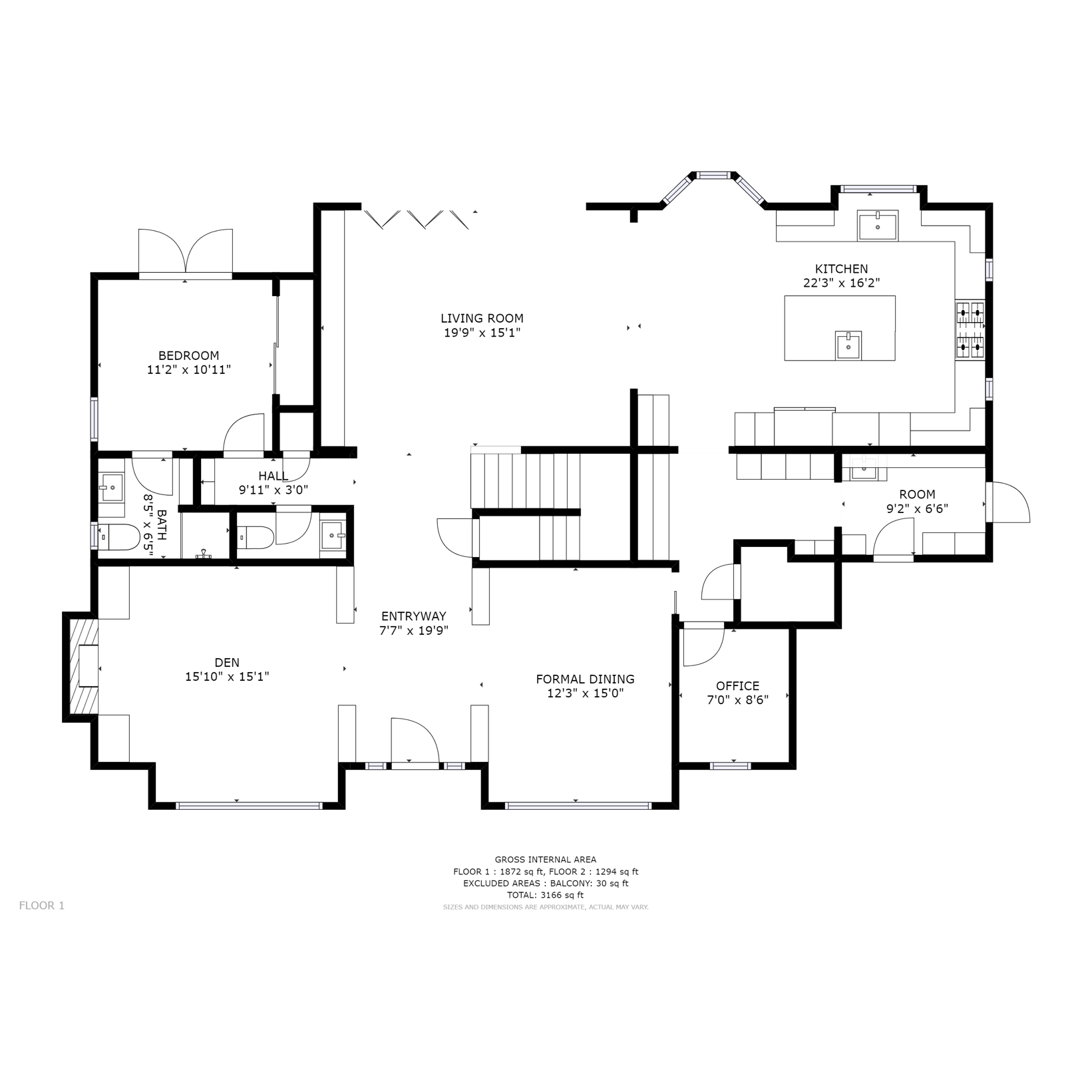
Give your audience an overview alongside the immersive walkthrough.
A schematic floor plan is a separate 2D drawing based on the captured space. It communicates how rooms are arranged and how they connect.
Unlike the interactive Floor Plan View inside a Matterport tour, it is supplied as a file for use outside the walkthrough.
We confirm the required coverage, presentation and available file formats when preparing your quotation.
Help prospective tenants or buyers understand the room arrangement alongside photographs and a virtual tour.
Include an overview in brochures or proposals when discussing the relationship between captured spaces.
Give teams a simple layout reference for early discussions and general property documentation.
Tell us how you intend to use the plan. This helps us confirm whether a schematic output suits the task.
For portfolios, we can agree consistent property naming and room labels across the plans included in your project.
Confirm the rooms, floors and buildings to include before scanning takes place.
Supply preferred room names and discuss the available labelling, dimension and area options.
Tell us whether the plan is for a website, printed brochure or another document so formats can be agreed.
Agree the intended use, floors, labelling and deliverables before the capture visit.
Scan the agreed accessible areas so the model provides the coverage needed for the plan.
Receive the schematic plans in the agreed formats, with turnaround confirmed in your quotation.
An additional project output. Schematic floor plans are separately specified. Your quotation confirms the plans included and any additional charges.
Marketing plans and technical drawings serve different purposes. If you need CAD or BIM files, or drawings to a defined specification, discuss this before booking.
Schematic plans should not be assumed suitable for construction, fabrication or statutory submissions.
Critical dimensions and areas should be independently verified for their intended purpose.
The plan reflects the captured property. Later building alterations are not automatically included.
No. Floor Plan View is an interactive viewing mode inside the tour. Schematic floor plans are separate 2D files for use in other materials.
Yes. We can agree suitable file formats for your website and other property marketing materials.
Yes, subject to suitable capture coverage. Tell us which floors are required when defining the scope.
Potentially. Share the model details so we can review access, coverage and suitability before confirming.
CAD deliverables are a separate requirement. Let us know the required format, detail and intended use so we can assess the appropriate output.
Tell us about the property and how you intend to use the plans.


